
Shutdown software
Shutdown Software vs CMMS vs Primavera P6: Which Fits?
A CMMS manages routine maintenance; shutdown software manages a time-boxed stop with a critical path, readiness gates and a view across projects. A planning tool such as Primavera P6 or Microsoft Project schedules the project but does not hold the work orders, so most shutdowns use two of the three or one platform that joins them.
Product names are used for identification only. The comparison is a working summary, not a feature audit.
How MaintWiz helps: Choosing between a CMMS, P6 and a shutdown module is easier with a live look. The MaintWiz shutdown module moves the plan from spreadsheets into one system with a critical path, readiness gates, permits and spares status. See the module · Get the 40-step checklist
By Jai Balachandran · Published · Last reviewed
What MaintWiz adds:Critical path and floatReadiness gatesPermits and isolationsSpares status with SAP
The question
Is shutdown (STO) software the same as a CMMS?
No. A CMMS manages routine maintenance: work orders, assets and spares. Shutdown software manages a time-boxed event with a critical path, readiness gates and a view across projects, and it needs the CMMS records to do so. 4
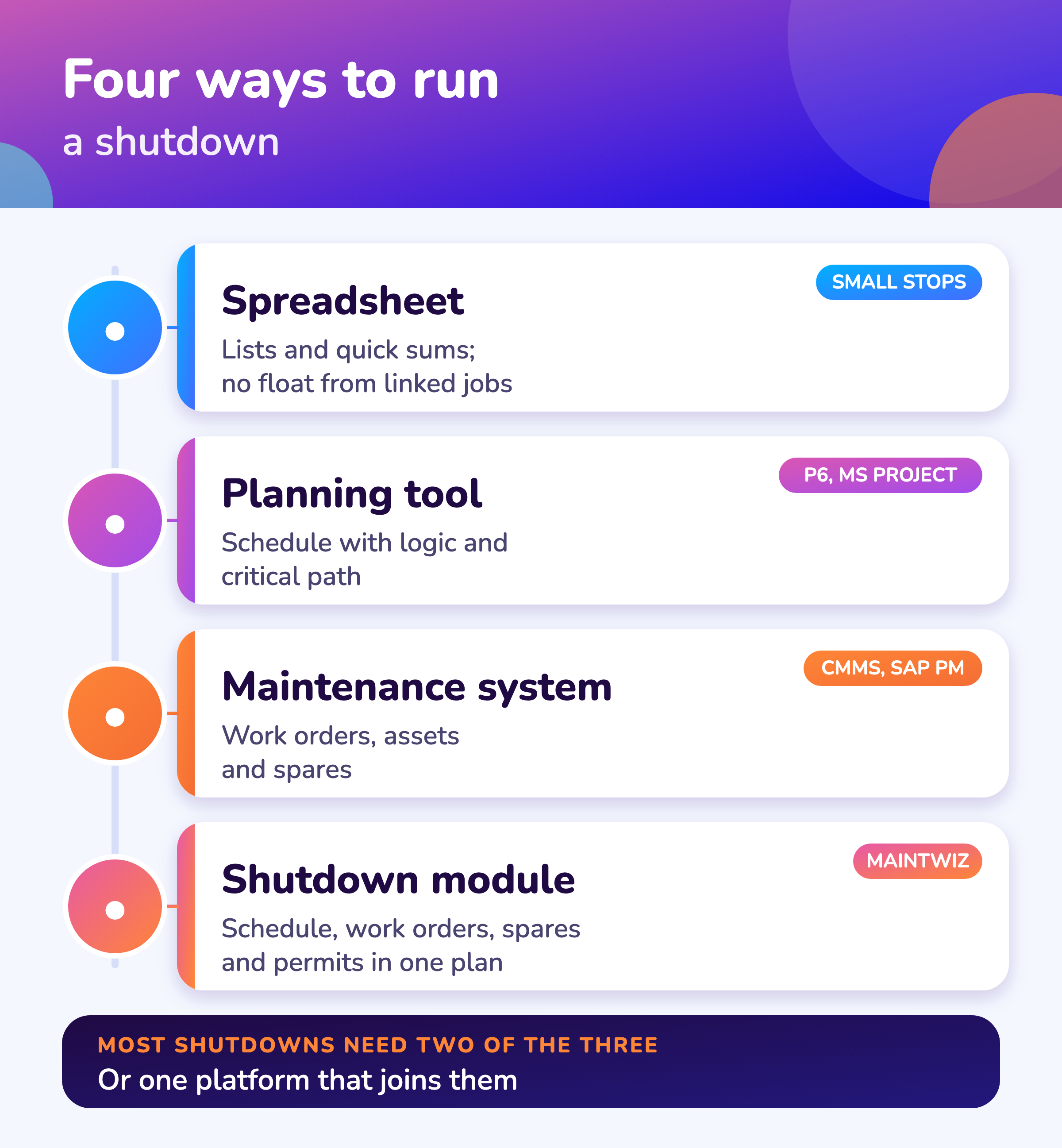
Both are needed in a shutdown. A planned shutdown runs on work orders, spares and permits, which the maintenance system holds, and on a schedule with logic, which a planning tool or a shutdown module holds. The table compares the four common ways to run one.
| Question | Spreadsheet | Planning tool (Primavera P6, Microsoft Project) | Maintenance system (for example SAP PM) | MaintWiz shutdown module |
|---|---|---|---|---|
| Built for | Lists and quick calculations | Scheduling a project with logic | Routine maintenance: work orders, assets, spares | A shutdown as a time-boxed event, on the MaintWiz platform |
| Critical path and float | Only by hand | Yes. Oracle says P6 uses the Critical Path Method; Microsoft Project can show critical tasks in red. 1,2 | Not its main job; logic is usually scheduled in a planning tool | Yes: Gantt chart with critical path and float |
| Work orders and asset history | Manual | Not its purpose | Yes | Yes, from the shared MaintWiz work order module |
| Spares and purchase status | Manual | Not its purpose | Reservations and purchase requisitions are generated from order components. 3 | Needed, in stock, short and SAP status of each part |
| Permits and isolations | Separate list | Separate | Separate permit process | From ePTW, on each work order and in the readiness gate |
| Readiness before a package starts | Manual checklist | No | No | Seven gates with signed waivers |
| View across several projects | Manual | Multi-project scheduling | Per plant or per order reports | Portfolio board and timeline for up to 20 projects |
The table is a working summary of what each kind of tool is built for, not a feature audit of any product. Check a vendor’s current documentation before you decide. Product names are used for identification only.
Planning tools
CMMS vs Primavera P6: which do you need?
Primavera P6 and Microsoft Project plan the schedule and a CMMS runs the work, so most shutdowns need both unless one platform, such as a shutdown module on top of the maintenance records, joins them. 1,2
On the difference between the methods, see critical path vs critical chain. If SAP PM is your system of record, see SAP PM shutdown management.
Oracle describes P6 as using the Critical Path Method, and Microsoft Project shows critical tasks in red on the Gantt chart. 1,2 Neither holds your work orders, spares or permits. The work orders live in the maintenance system, so planners either re-key data between the two or link them by integration.
The MaintWiz shutdown module imports from and exports to Primavera P6 and Microsoft Project, and it keeps the work orders, spares and ePTW permits on the same platform. See the shutdown module and how scheduling and critical path work.
MaintWiz
Where does the MaintWiz shutdown module fit?
The MaintWiz shutdown module is an add-on to the MaintWiz platform: the planning logic of a scheduling tool and the records of a maintenance system in one place, with imports and exports for the tools you already use.
About MaintWiz. MaintWiz is an industrial AI platform with IoT, SAP integration and predictive maintenance (PdM) capabilities. Its shutdown and turnaround module helps plants plan, schedule, execute and close out shutdown work.
Also see the product data sheet.
What the shutdown module covers
As described on the MaintWiz shutdown maintenance product page.
- Gantt with critical path and float, with import and export for Primavera P6, Microsoft Project and Excel
- Readiness gates for every work package, with signed waivers
- Work orders and spares shared with the MaintWiz platform, with SAP status for each part
- Permits and isolations from ePTW
- An executive view across up to 20 projects
- Approvals recorded against the signed-in user with name and time
Proof
What MaintWiz customers report
Figures as published in MaintWiz case studies on maintwiz.com. They come from maintenance management projects, not shutdowns.
Features
What features should shutdown software have?
Shutdown software should have eleven things: a Gantt chart with critical path and float, work packages, readiness gates, resource planning across projects, spares status, permits and isolations, field execution with evidence, cost control, an executive view, close-out records and integrations with your existing systems.
For the order in which to digitize a shutdown, see digital shutdown management. AI features are explained, with questions to ask a vendor, in AI shutdown planning.
| Feature | The question to ask a vendor |
|---|---|
| Gantt chart with critical path and float | Can I see which jobs set the finish date and how much float the others have? |
| Work packages | Does each package hold steps, tools, materials, permits and acceptance criteria? |
| Readiness gates | Can a package be blocked from starting until materials, people, predecessors, tools, permits and scope are ready? |
| Resources across projects | Can I see trades and tools shared by several projects and the weeks they run short? |
| Spares status | Does it show what is short and the purchase request or order behind each part? |
| Permits and isolations | Do they show on the work order and stop a package from closing while open? |
| Field execution | Can technicians tick tasks, enter readings and attach photos on a phone, including offline? |
| Cost control | Does it show planned value, earned value, actual cost and an index? |
| Executive view | Does one screen show the worst project first with the decisions waiting? |
| Close-out | Are handover, lessons and deferred items kept for the next shutdown? |
| Integrations | Does it work with your maintenance system, your scheduling tool, Excel and your permit system? |
In SAP Plant Maintenance the system generates reservations and purchase requisitions from the components on an order, and it is not possible to create them individually there. 3 That is why material readiness for a shutdown depends on complete work orders. The spare parts guide shows how to check it.
The 40-step shutdown checklist shows where each feature supports a step.
Choosing
How do you choose between a spreadsheet, a planning tool and a shutdown module?
Choose a spreadsheet for a small stop with no critical path, a planning tool when the schedule logic is the hard part, and a shutdown module on your maintenance platform when work orders, spares and permits must tie to the schedule across projects.
To compare a spreadsheet, a scheduler and a shutdown module on your own data, use the turnaround software checklist, which has an RFP outline and a demo script. The buyer's guide is turnaround management software; cost is covered in turnaround software cost. Side-by-side pages: Primavera P6 alternatives and Microsoft Project alternatives.
Try it: which approach fits your shutdown?
Answer five questions. The result is a working rule of thumb, not a verdict. Nothing is sent or stored.
The rule above is a working framework. It does not replace a trial with your own data.
Needs
What does a shutdown plan need, and which tool keeps it?
A shutdown plan needs a scope register, a logic-linked schedule, work orders, permits, spares status and cost control; spreadsheets hold them by hand, a CMMS is strongest on work orders, scheduling software on logic, and a shutdown module aims to hold all six together. 1,2,4
| Need | Spreadsheet | Maintenance system (CMMS) | Scheduling software such as P6 or Project | Shutdown module |
|---|---|---|---|---|
| One controlled scope register | Manual list | Work orders by asset | Activities | Scope register with change control |
| Logic-linked schedule with critical path and float | Manual or formula-built | Not the main job | Core function | Gantt with critical path and float |
| Work orders with tasks and readings | Not designed for it | Core function | Not the main job | Reused from the platform |
| Permits and isolations tied to work | Separate registers | Depends on the product | Not the main job | ePTW on each work order |
| Spares and SAP status | Manual | Inventory module | Not the main job | Needed, in stock, short and SAP status |
| Cost and earned value | Manual | Cost per work order | Cost loading | Planned, earned and actual cost |
Oracle says its Primavera P6 uses a critical-path algorithm, and Microsoft Project can show critical tasks in red. 1,2 The other cells are our summary of typical products, not a test of any product; check what each product you consider does.
Visuals
Save the comparison chart
One chart to share when you choose a tool. Click it for the full-size image.
FAQ
Frequently asked questions
Is STO software the same as a CMMS?
No. A CMMS manages routine work orders, assets and spares. Shutdown, turnaround and outage (STO) software adds a time-boxed plan with a critical path, readiness gates and a view across projects. See the MaintWiz shutdown module.
Can I run a shutdown in Excel?
For a small stop with a short list of jobs and no critical path, yes. A spreadsheet cannot calculate float from linked activities, which is the main reason larger stops move to a planning tool or a shutdown module.
What does Primavera P6 do that a CMMS does not?
Oracle says P6 schedules with the Critical Path Method. A CMMS holds work orders, assets and spares but is not built to schedule logic across hundreds of linked activities. 1
Does shutdown software replace SAP PM?
No. SAP stays the system of record. The MaintWiz shutdown module connects through the SAP PM or the SAP MM module and shows the status of requests and orders against each part.
Can MaintWiz import a Primavera P6 or Microsoft Project schedule?
Yes. The shutdown module imports from and exports to Primavera P6 and Microsoft Project, as well as Excel.
What features matter most?
A Gantt chart with critical path and float, readiness gates, spares status and permits tied to each work order, and a view across projects. See the eleven features above and the shutdown checklist.
How does a shutdown module differ from a planning tool?
A planning tool schedules the project. A shutdown module also holds the work orders, spares and permits behind each activity, so progress comes from field evidence and not from manual updates.
Where do I start?
Start with the shutdown planning guide and the scope management guide, then choose the tool that fits the stop.
Sources
Sources
- Oracle, Primavera P6 (product page)
- Microsoft Support, Show the critical path of your project in Project
- SAP Library, Materials Planning (Customer Service and Plant Maintenance; older release, no release stated)
- US Government Accountability Office, GAO Schedule Assessment Guide: Best Practices for Project Schedules (GAO-16-89G, December 2015)
Move your shutdown plan out of spreadsheets
Book a demo and bring the spreadsheet you use today. We will show how the module covers the same ground.