
Free tool
Excel to Gantt Chart: Free Shutdown Critical Path Tool
Paste a task list from Excel into this free tool and it draws a Gantt chart with the critical path and the float of every task. It runs in your browser, uploads nothing and exports the chart as PNG or SVG and the results as CSV for Excel.
How MaintWiz helps: The free tool is a start; the module keeps the critical path live. The MaintWiz shutdown module puts the whole shutdown on a Gantt chart with the critical path, float and baselines, so you can see what moves the finish date. See the module · Get the Gantt template
By Jai Balachandran · Published · Last reviewed
What MaintWiz adds:Gantt with critical path and floatBaselines show what movedFloat flag at your limitOne plan from portfolio to task
The tool
How do you turn an Excel task list into a Gantt chart?
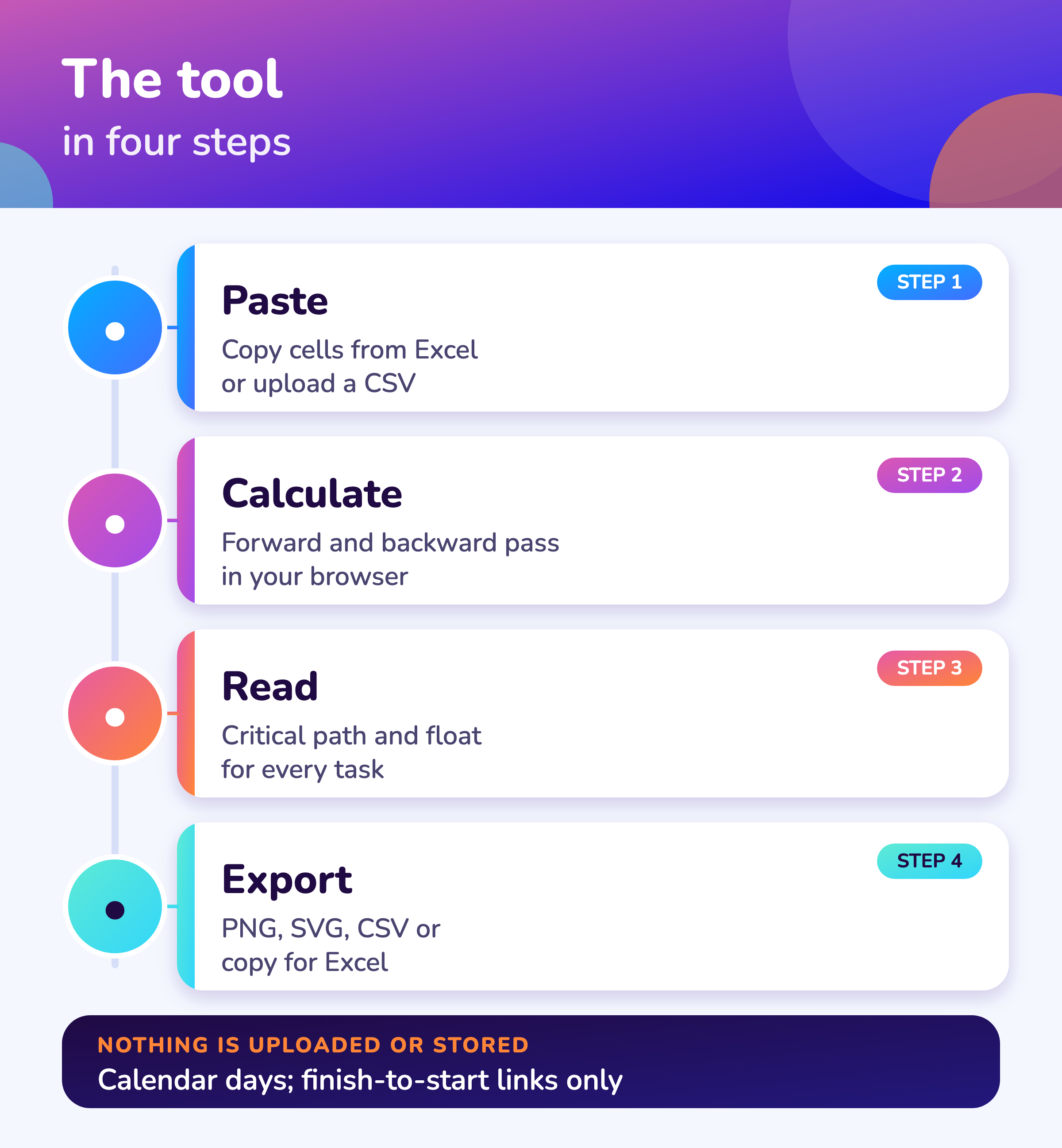
Paste your task list from Excel into the box below, with an ID, a task, a duration in days and the predecessors of each task, and the tool draws a Gantt chart and marks the critical path and the float of every task, all in your browser. 1
Excel to Gantt chart: paste your task list
Paste rows from Excel (copy the cells, then paste), or upload a CSV file. Columns: ID, Task, Duration (days), Predecessors, Crew. Everything runs in your browser; nothing is uploaded.
Paste your task list, or load the sample.
Columns
What columns does a shutdown schedule need for a Gantt chart?
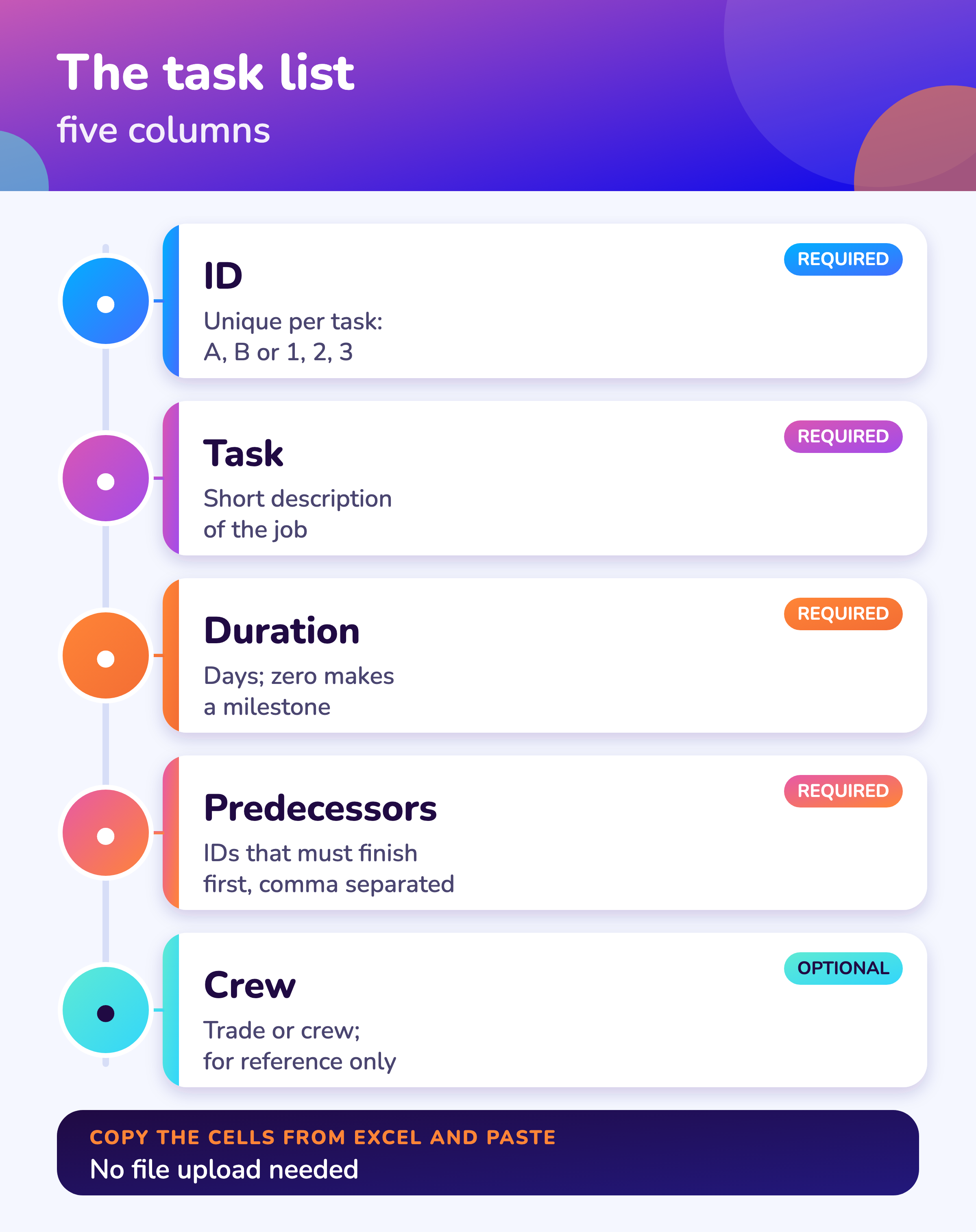
A shutdown schedule needs four columns to draw a Gantt chart and find the critical path, ID, task, duration and predecessors, and a fifth for the crew helps when you review the plan.
| Column | What to enter | Example |
|---|---|---|
| ID | A unique ID for each task (letters or numbers) | 4 |
| Task | A short description | Clean exchanger bundle |
| Duration | Days, zero or more; zero makes a milestone | 3 |
| Predecessors | IDs of tasks that must finish first, separated by commas or semicolons; leave empty for a first task | 3 |
| Crew (optional) | The trade or crew; shown in the export, not used in the calculation | Cleaning crew |
For a real shutdown add the permit, the materials status and the work package it belongs to; see the work package guide and the shutdown scheduling guide.
Software
When do you need more than a free Gantt tool?
A free tool checks the logic of one task list; a shutdown module keeps the schedule, the work orders, the permits and the spares together and updates the critical path as work is closed.
About MaintWiz. MaintWiz is an industrial AI platform with IoT, SAP integration and predictive maintenance (PdM) capabilities. Its shutdown and turnaround module helps plants plan, schedule, execute and close out shutdown work.
Also see the shutdown calculators.
What the shutdown module covers
As described on the MaintWiz shutdown maintenance product page.
- Gantt chart with the critical path and float, from your real work orders
- A flag when float falls to a limit you set
- Baselines that show what moved against the plan
- Import and export with Excel, Primavera P6 and Microsoft Project
- Resource availability by trade and week
- Work packages, permits and spares status linked to the schedule
Proof
What MaintWiz customers report
Figures as published in MaintWiz case studies on maintwiz.com. They come from maintenance management projects, not shutdowns.
Method
How do you find the critical path of a shutdown from a task list?
The tool finds the critical path with a forward pass and a backward pass: early dates come from the longest chain of predecessors, late dates work back from the finish, and tasks with zero float form the critical path. 1,2
See how to plan a plant shutdown and shutdown work packages for building the task list.
The forward pass gives each task its early start, the latest early finish among its predecessors, and its early finish, the early start plus the duration. The backward pass starts from the project finish and gives each task its late finish, the earliest late start among its successors. Total float is the late start minus the early start; a task with zero float is critical. The US GAO schedule guide describes these terms. 1 The HHS earned value glossary defines the critical path as the path with the longest elapsed time that fixes the shortest possible duration. 2
See the worked float example for the arithmetic by hand and the scheduling guide for the method. The tool reports a loop in the links as an error, because no schedule can be worked out from one.
Export
How do you export a shutdown Gantt chart to Excel or PNG?
Use the buttons under the chart: Download PNG and Download SVG save the picture, Download CSV saves the results with dates and float for Excel, and Copy for Excel puts the results on the clipboard to paste into a sheet.
The CSV opens in Excel with columns for early and late dates, total float and the critical flag. The tool does not write .xlsx files and keeps no copy of your data: close the page and it is gone.
Limits
Is the schedule data uploaded when you use the tool?
No: the tool runs entirely in your browser, so the task list you paste or upload is not sent to MaintWiz or anyone else, and it is cleared when you close or reload the page.
When the tool is not enough, see replacing Excel for turnaround planning.
| Limit | Why it matters |
|---|---|
| Calendar days only | No weekends, shifts or holidays; convert durations first |
| Finish-to-start links only | No lags, leads or start-to-start links |
| No resource limits | It does not level crews or equipment; the crew column is for reference |
| No constraints or progress | No fixed dates, no percent complete, no baseline |
| No .xlsx upload | Paste cells from Excel or upload CSV |
For a full schedule with calendars, resource loading and baselines use scheduling software: Oracle says Primavera P6 uses a critical-path algorithm and Microsoft Project can show critical tasks in red. 3,4 This tool is for a quick check of the logic and the critical path.
Visuals
Save the Gantt tool charts
Two charts to share with your planners. Click either for the full-size image.
FAQ
Frequently asked questions
How do I turn an Excel task list into a Gantt chart?
Copy the cells with ID, task, duration and predecessors in Excel, paste them into the tool and press Calculate. The chart and results appear below the box.
How do I find the critical path from a task list?
The tool runs a forward and a backward pass and marks tasks with zero float as critical. 1
What columns does a shutdown schedule need?
ID, task, duration and predecessors; crew is optional.
How do I export the chart?
Download PNG or SVG for the picture, Download CSV or Copy for Excel for the results.
Is my schedule data uploaded?
No. Everything runs in your browser and nothing is stored.
Can I upload an .xlsx file?
Not directly. Copy the cells and paste them, or save the sheet as CSV and upload that.
Does it handle weekends and shifts?
No. Durations are calendar days; convert them first.
What is float?
The time a task can slip without delaying the finish; zero float means the task is critical. 1
Sources
Sources
The critical path and float terms come from the US GAO schedule guide and the HHS earned value glossary. The tool uses no external library.
- US Government Accountability Office, GAO Schedule Assessment Guide: Best Practices for Project Schedules (GAO-16-89G, December 2015)
- US Department of Health and Human Services, Earned Value Management, Appendix D: Glossary of Terms
- Oracle, Primavera P6 (product page)
- Microsoft Support, Show the critical path of your project in Project
Put your shutdown schedule in one plan
Book a demo and bring your shutdown schedule. We will show how the module handles the critical path, float and baselines.