
Resource planning
Turnaround Manpower Plan and Labor Histogram Guide
A turnaround manpower plan turns the planned hours in the schedule into the people you need per trade per day, and the labor histogram shows whether that plan is level enough to staff. Divide hours by shift hours times a measured time-on-tools factor, read the peak and level it with float before you sign contracts. MaintWiz shows trade and tool availability by week across shutdowns.
STO means shutdown, turnaround and outage. The time-on-tools factor must come from your own measurements.
How MaintWiz helps: The peak headcount sets camp, tools, permits and supervision. The MaintWiz shutdown module shows availability of trades and common tools by week across projects, with blackout windows from the admin calendar. See the module · Get the manpower workbook
By Jai Balachandran · Published · Last reviewed
What MaintWiz adds:Trade and tool availabilityWeekly availability viewBlackout windowsRate cards and shifts
Definition
What is a turnaround manpower plan?
A turnaround manpower plan states how many people of each trade you need on each day of the stop, worked out from the planned hours in the schedule, so you can book contractors, size the camp, tools, permits and supervision, and avoid idle crews and late arrivals. In this guide STO means shutdown, turnaround and outage.
The plan is a by-product of a good schedule: if every task has hours and a trade, the daily headcount follows by arithmetic. The labor histogram is the chart of that headcount. Its shape tells you whether the plan is workable before you sign a contract.
Download the free manpower plan and labor histogram workbook (Excel). Enter hours by trade and day and it returns headcount, peak and the chart.
Build
How do you build a manpower plan for a shutdown?
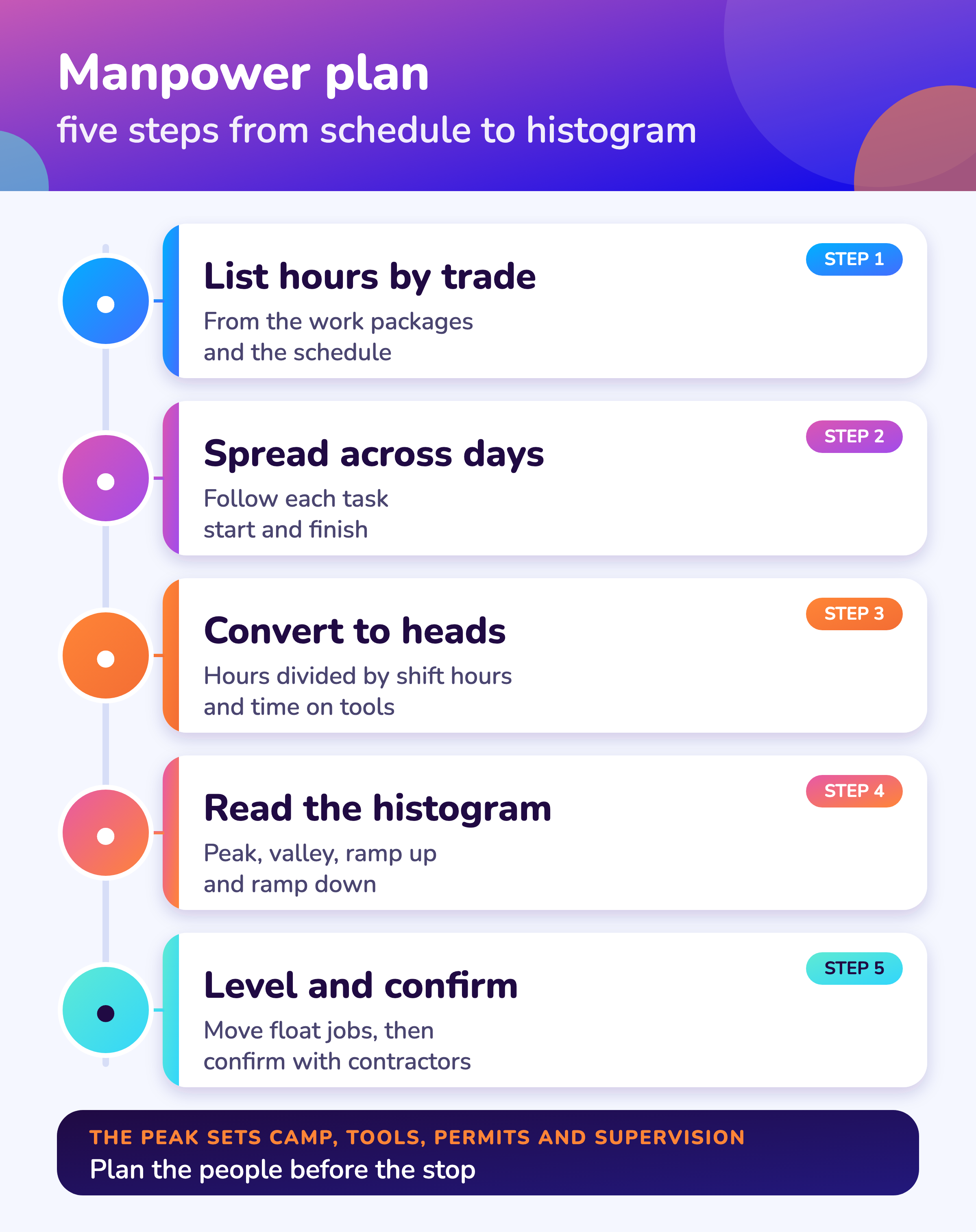
Build the manpower plan by listing planned hours by trade from the work packages, spreading each task across its scheduled days, converting hours to people using shift hours and a measured time-on-tools factor, and reading the daily total as a histogram.
- 1
List hours by trade
Take hours from the work packages, not from guesses.
Inputs - 2
Spread across days
Follow each task’s start and finish in the schedule.
Daily hours - 3
Convert to people
Hours ÷ (shift hours × time-on-tools factor).
Headcount - 4
Plot the histogram
Headcount by day, with the total and by trade.
Shape - 5
Level using float
Move non-critical jobs to flatten the peak.
Level - 6
Confirm with contractors
Compare against what each can supply and when.
Commit
Headcount
Hours ÷ (shift hours × time-on-tools factor)
People needed to deliver the hours in a day.
Peak to average ratio
Peak headcount ÷ average headcount
A tall ratio means a spiky plan that is hard to staff.
Time-on-tools factor
Hours on the job ÷ hours at work
Measure it on your own past stops.
Hours come from the work packages. See work package optimization and shutdown scheduling.
MaintWiz
How does MaintWiz help plan manpower?
MaintWiz shows availability of trades and common tools by week across concurrent shutdowns, with rate cards, shifts and blackout windows, so you can see where demand exceeds supply before you commit; AI agents support shutdown planning.
Bring your trade list and schedule to a demo and we will show the weekly demand against availability. Tell us what your contractors report: plant requirements shape what we build next.
About MaintWiz. MaintWiz is an industrial AI platform with IoT, SAP integration and predictive maintenance (PdM) capabilities. Its shutdown and turnaround module helps plants plan, schedule, execute and close out shutdown work.
What the shutdown module covers
As described on the MaintWiz shutdown maintenance product page.
- Gantt chart with critical path, float and baselines
- Trade and tool availability by week, across up to 20 projects
- Rate cards and shifts
- Blackout windows from the admin calendar
- Contractor tracking
- Daily progress by package
Proof
What MaintWiz customers report
Figures as published in MaintWiz case studies on maintwiz.com. They come from maintenance management projects, not shutdowns.
Histogram
How do you read a labor histogram?
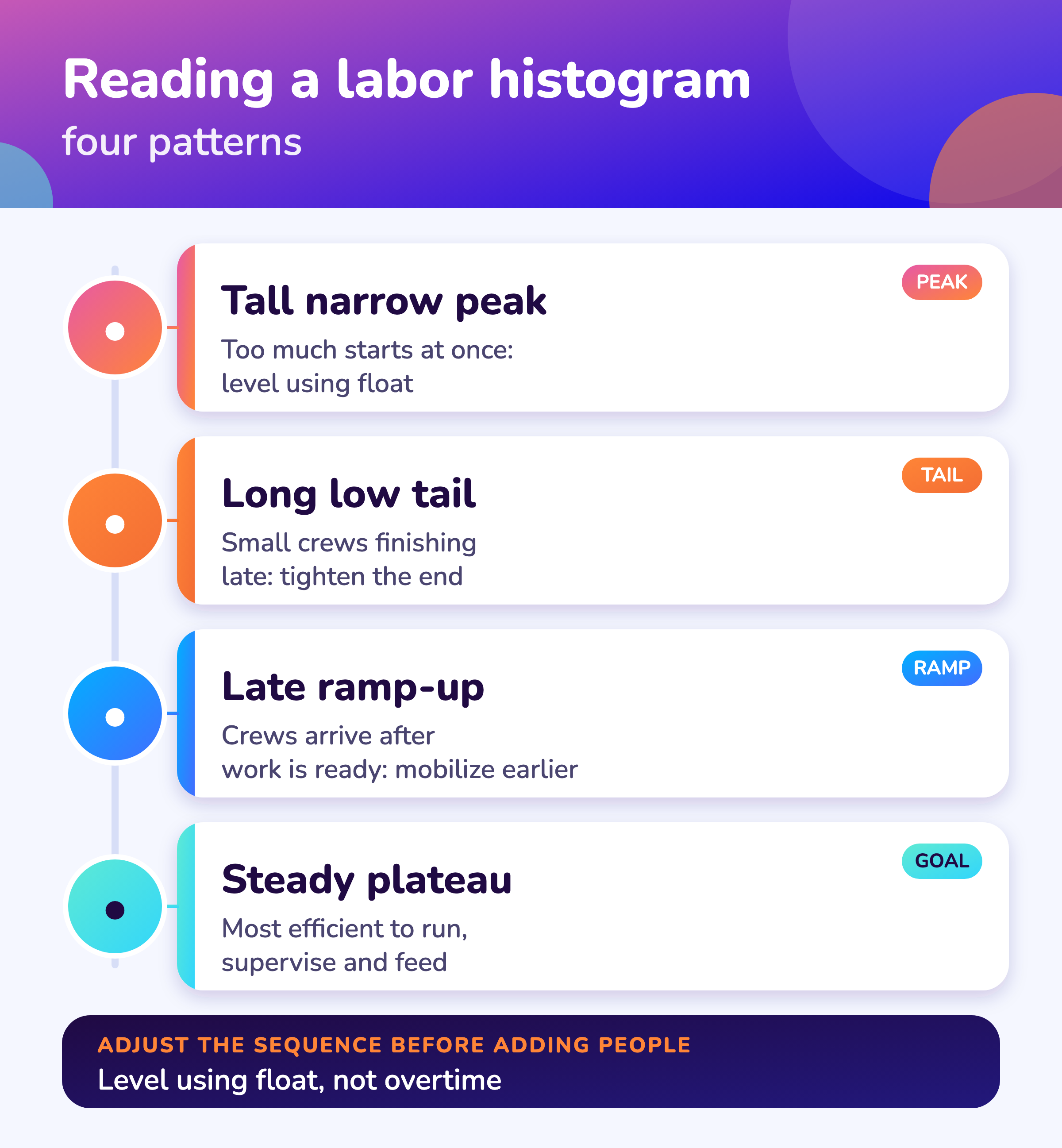
Read a labor histogram for its peak, its ramp-up and ramp-down, and its tail: a tall narrow peak means too many tasks start together, a late ramp-up means crews wait for work, and a steady plateau is the most efficient shape to staff and supervise.
| Shape | What it means | What to do |
|---|---|---|
| Tall, narrow peak | Too much starts at once; hard to supervise, permit and feed | Level using float on non-critical jobs; see critical chain |
| Late ramp-up | Crews arrive after work is ready | Mobilize earlier or start the long jobs first |
| Long, low tail | Small crews finishing late | Tighten the end sequence; combine tasks |
| Sudden drop | A trade leaves before its work is done | Check the trade has no later tasks |
| Steady plateau | The most efficient shape to run | Hold it and protect the critical path |
The histogram shows the plan, not the result. Compare it with the people actually on site each day. A gap on a critical path trade is the first warning of delay.
Time on tools
What is time on tools in a turnaround?
Time on tools is the share of paid time a worker spends on the job itself rather than waiting for permits, tools, materials or access, and it converts planned hours into the number of people you must bring, so measure it on your own past stops.
| Question | Answer |
|---|---|
| What is it? | The share of a worker’s paid time spent on the job itself, after waiting for permits, tools, materials, travel, safety talks and breaks |
| Why does it matter? | It converts hours of work into the people you must bring. A lower factor means more people for the same work |
| Where do I get the number? | From your own past stops, by trade. Sampling on site is the usual method; see contractor management 1 |
| How does it change? | Falls when permits, materials or access are late; rises when jobs are ready and crews are close to the work |
Use the time on tools calculator on the shutdown calculators page to test the effect of a change.
Leveling
How do you level labor in a shutdown schedule?
Level labor by moving jobs that have float to quieter days, splitting long jobs, and changing the sequence, before adding overtime or people, and re-check the critical path after every change because moving a job can use up its float.
- Use float, not overtime, to flatten the peak
- Start long jobs early
- Split jobs that need a crew only part-time
- Check each move against the critical path
- Stagger starts by area to ease permits and supervision
- Re-run the histogram after every change
Overtime and long shifts reduce productivity and raise risk, so plan them as an exception and follow the working-hours and fatigue rules that apply where you work.
Visuals
Save the manpower planning visuals
Two visuals for the planning meeting. Click either for the full-size image.
FAQ
Frequently asked questions
What is a manpower plan for a turnaround?
The number of people of each trade needed on each day, calculated from planned hours in the schedule.
What is a labor histogram?
A chart of headcount by day. Its shape shows whether the plan is staffed evenly or spikes.
How do you calculate manpower for a shutdown?
Divide the day’s planned hours by shift hours times the time-on-tools factor, for each trade.
What is time on tools?
The share of paid time spent on the job itself, after waiting for permits, tools, materials, travel and breaks.
How do you level a labor histogram?
Move non-critical jobs into quieter days using float, split long jobs and change the sequence. Check the critical path after each move.
Why does the peak headcount matter?
The peak sets camp, tools, permit issuers, supervision, transport and the contractor commitment.
How many supervisors do we need?
Set the ratio from your own past stops and the risk of the work, then check it at the peak day.
Is there a free manpower plan template?
Yes. The manpower plan and labor histogram workbook (Excel) turns hours by trade and day into headcount, peak and a chart.
Does MaintWiz help with manpower planning?
It shows trade and tool availability by week across shutdowns and compares it with demand. AI agents are part of the module. See AI shutdown planning.
Sources
Sources
The method is standard resource planning applied to shutdowns. The references cover managing contractors and schedule practice.
Plan trades and tools across every shutdown
Book a demo and bring your crew plan. We will show availability by trade and week.