
Moving off spreadsheets
Replace Excel for Turnaround Planning: Signs and Migration Plan
Replace Excel for turnaround planning when several people edit the plan, you keep dated copies, float is worked out by hand or permits, parts and progress live in separate files. Move in six phases with a parallel run on one pilot stop. MaintWiz imports your task list from Excel and calculates the critical path.
How MaintWiz helps: Spreadsheets break on coordination, not on size. The MaintWiz shutdown module moves the plan from spreadsheets into one system with a critical path, readiness gates, permits and spares status. See the module · Get the migration checklist
By Jai Balachandran · Published · Last reviewed
What MaintWiz adds:Critical path and floatReadiness gatesPermits and isolationsSpares status with SAP
Definition
When should you replace Excel for turnaround planning?
Replace Excel for turnaround planning when the plan has more than one owner, when you keep dated copies to see what changed, when float is worked out by hand, or when permits, spares and progress sit in separate files that someone merges every morning. In this guide STO means shutdown, turnaround and outage.
Excel is a good start. It is fast, familiar and free of procurement. It stops working not at a size but at a kind of problem: coordination across people, files and days. The checklist below counts the signs. Four or more Yes answers is our rule of thumb for planning the move.
Download the free migration checklist (Excel) with ten signs and a six-phase migration plan.
Signs
What are the signs you have outgrown Excel?
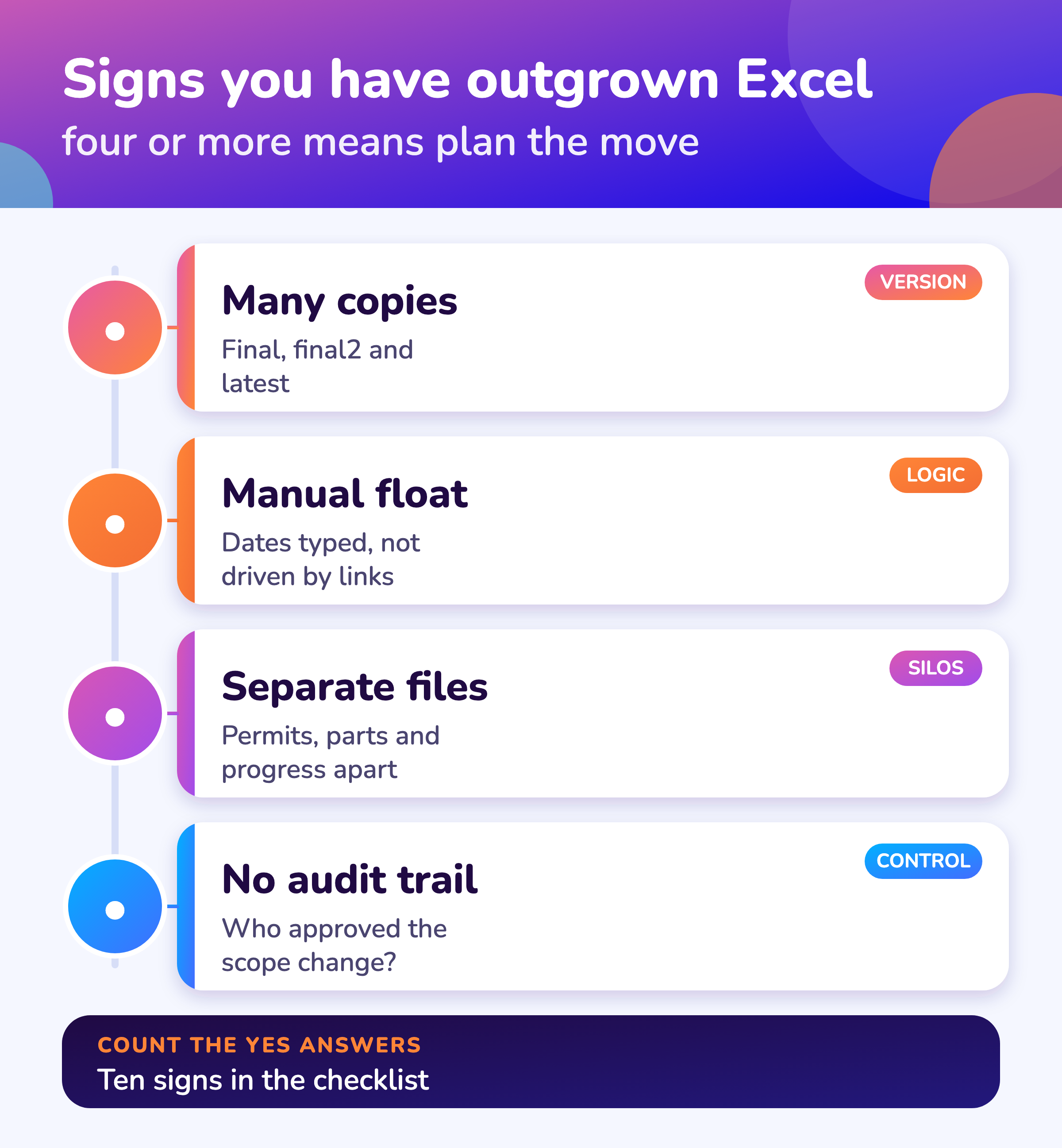
The signs are several editors on one plan, dated copies to track change, typed dates instead of linked tasks, float worked out by hand, separate files for permits, parts and progress, no record of approvals, slow daily status, several stops at once and contractors sending their own formats.
Many copies
Files named final, final2 and latest. Nobody is sure which is current.
Manual float
Dates are typed, so a late job does not move its successors.
Separate files
Permits, parts and progress are merged by hand every morning.
No audit trail
Nobody can say who approved a scope change or when.
MaintWiz
How does MaintWiz take over from Excel?
MaintWiz imports your task list from Excel, calculates the critical path and float, and adds readiness gates, permits, spares status and approvals on one record; AI agents support shutdown planning.
Bring your spreadsheet to a demo and we will load it and compare the critical path with yours. Plant requirements shape what we build next.
About MaintWiz. MaintWiz is an industrial AI platform with IoT, SAP integration and predictive maintenance (PdM) capabilities. Its shutdown and turnaround module helps plants plan, schedule, execute and close out shutdown work.
What the shutdown module covers
As described on the MaintWiz shutdown maintenance product page.
- Import tasks from Excel
- Gantt chart with critical path, float and baselines
- Seven readiness gates with signed waivers
- Permits and isolations shown on each work order
- Spares status with the SAP request or order behind each short part
- Approvals recorded against the signed-in user with name and time
Proof
What MaintWiz customers report
Figures as published in MaintWiz case studies on maintwiz.com. They come from maintenance management projects, not shutdowns.
Limits
What can Excel do and where does it break for turnaround planning?
Excel handles a task list and quick sums well, but it breaks on linked logic and live float, simultaneous editing, change history, joining permits, parts and progress, contractor files and executive views across several stops.
Moving from a scheduler? See Primavera P6 alternatives and Microsoft Project alternatives.
| Need | Excel | Where it breaks |
|---|---|---|
| Quick list of tasks | Fast and familiar | Few limits |
| Linked task logic and the critical path | Possible with formulas | Fragile, hard to audit; a scheduler such as P6 or Microsoft Project is built for it 1,2 |
| Several people editing at once | Shared workbooks exist | Conflicts and copies |
| Change history and approvals | Manual | No reliable record of who changed what |
| Permits, parts and progress together | Separate tabs or files | Reconciled by hand |
| Contractors and trades | Emailed files | Different formats, late updates |
| Executive view across stops | A summary tab | Rebuilt for every report |
Migration
How do you move from Excel to a shutdown system?
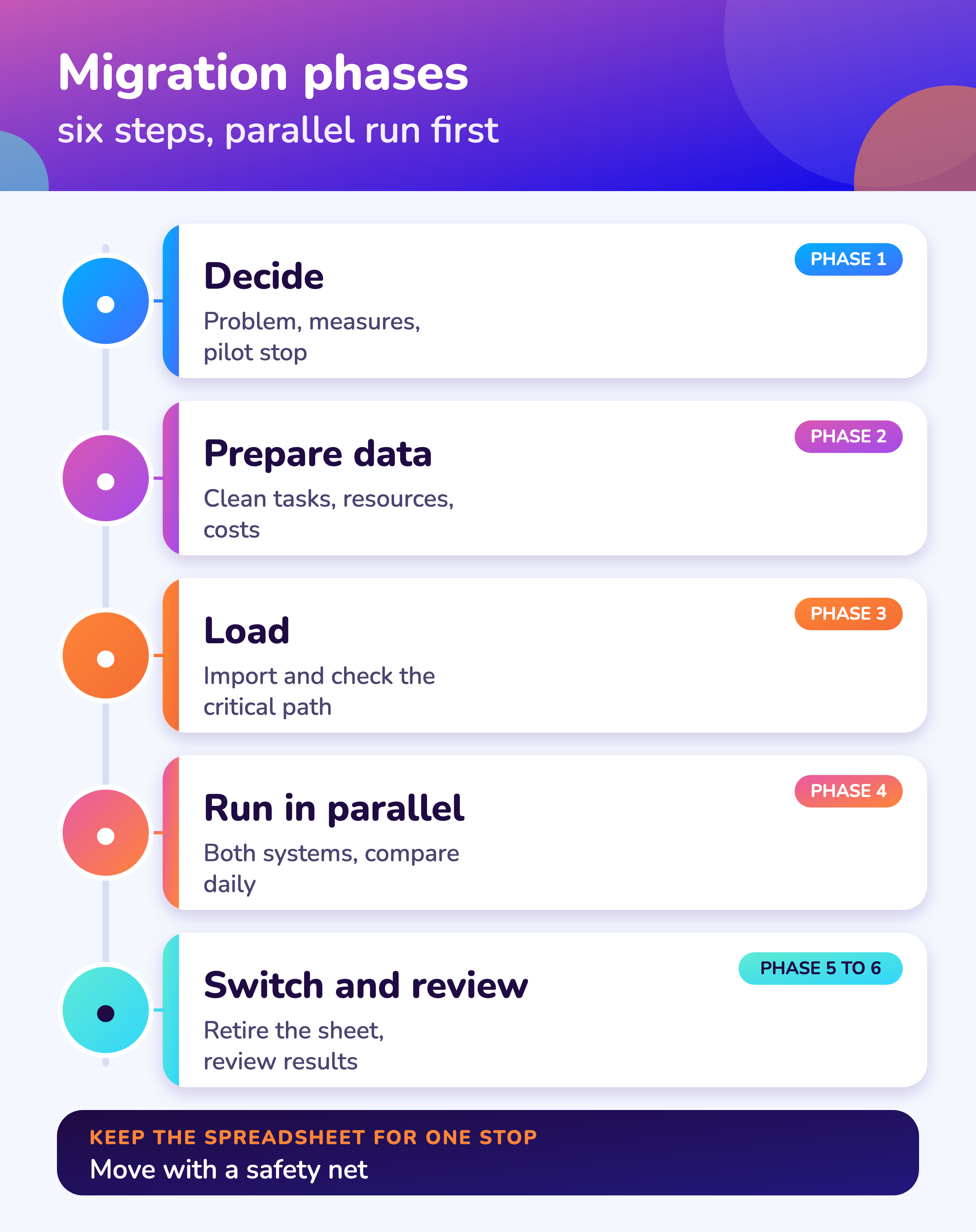
Move in six phases: decide the problem and the pilot stop, clean the data, load the task list and check the critical path against your spreadsheet, run both in parallel for one stop or phase, switch with training, then review against your success measures.
- 1
Decide
Agree the problem to solve, the success measures and the pilot stop.
Scope - 2
Prepare data
One row per task, IDs, durations and links; resources; cost lines; permits and parts lists.
Clean - 3
Load
Import the task list and compare the critical path with your spreadsheet.
Import - 4
Run in parallel
Run both for one stop or one phase and compare finish date and status daily.
Safety net - 5
Switch
Retire the spreadsheet for the pilot; train planners, supervisors and contractors.
People - 6
Review
Compare results with the success measures and decide the rollout.
Decide
Before you buy, paste your task list into the free Excel to Gantt tool to see the critical path.
Data
What data should you carry over from Excel?
Carry over a clean task list with IDs, durations and links, the resource and trade list with availability, cost lines by package, the permit and isolation list, the parts list with order status and the lessons from the last stop, and leave behind unused columns and old versions.
| Data | Clean-up before loading |
|---|---|
| Task list | One row per task, unique IDs, duration, predecessors |
| Resources and trades | Names, skills, availability, rates |
| Cost lines | Budget by package and cost group |
| Permits and isolations | One list with status |
| Parts | Part, quantity, order status, due date |
| Lessons and deferred items | One row per item with a reason |
See shutdown scheduling for the task logic to check.
Mistakes
What mistakes happen when leaving Excel?
The usual mistakes are loading unclean data, switching in the middle of a stop, skipping the parallel run, training only the planner, moving every site at once and expecting the tool to fix a plan that was never agreed.
- Loading data that is not clean
- Switching in the middle of a stop
- Skipping the parallel run
- Training only the planner
- Moving every site at once
- Expecting the tool to fix a plan nobody agreed
See turnaround management software for what to look for and the software checklist for the demo.
Visuals
Save the Excel migration visuals
Two visuals for the planning team. Click either for the full-size image.
FAQ
Frequently asked questions
When should you stop using Excel for turnaround planning?
When several people edit the plan, you keep dated copies to track change, float is worked by hand or permits, parts and progress sit in separate files.
Can Excel calculate a critical path?
With formulas it is possible but fragile. Schedulers such as P6 and Microsoft Project are built for it. 1,2
How do we migrate a turnaround plan from Excel?
Decide the pilot, clean the data, load and check the critical path, run in parallel, switch with training and review against measures.
What should we do with the old spreadsheets?
Keep them for reference for one stop, then archive. Do not keep two live plans.
How long does migration take?
It depends on data and size. Plan a pilot stop first and ask each vendor for a dated plan.
Can we try before we buy?
Yes. Paste your task list into the free Excel to Gantt tool and ask vendors to load it in a demo.
Is there a free migration checklist?
Yes. The migration checklist (Excel) counts ten signs and tracks six migration phases.
Can contractors keep using Excel?
Many can submit in a set template or through a limited contractor view. Agree the format in the contract.
Does MaintWiz import from Excel?
Yes. It imports your task list and calculates the critical path. AI agents are part of the module. See AI shutdown planning.
Sources
Sources
This guide is our assessment from how shutdowns are planned. The references show what P6 and Microsoft Project state about their critical path features.
Move your shutdown plan out of spreadsheets
Book a demo and bring the spreadsheet you use today. We will show how the module covers the same ground.