
Choosing software
Turnaround Software Checklist: Features, RFP and Demo Script
A turnaround software checklist has fourteen features to require, an RFP structure and an eight-scenario demo script you run on your own data. Plan, prepare, execute, control and close are the five phases, and the free scorecard totals the scores for up to three tools. MaintWiz is an industrial AI platform, and its shutdown module covers all five phases.
STO means shutdown, turnaround and outage. Software vendors are not named on this page.
How MaintWiz helps: Choosing software is easier when you test it on your own task list. The MaintWiz shutdown module moves the plan from spreadsheets into one system with a critical path, readiness gates, permits and spares status. See the module · Get the RFP and demo scorecard
By Jai Balachandran · Published · Last reviewed
What MaintWiz adds:Critical path and floatReadiness gatesPermits and isolationsSpares status with SAP
Definition
What should turnaround software do?
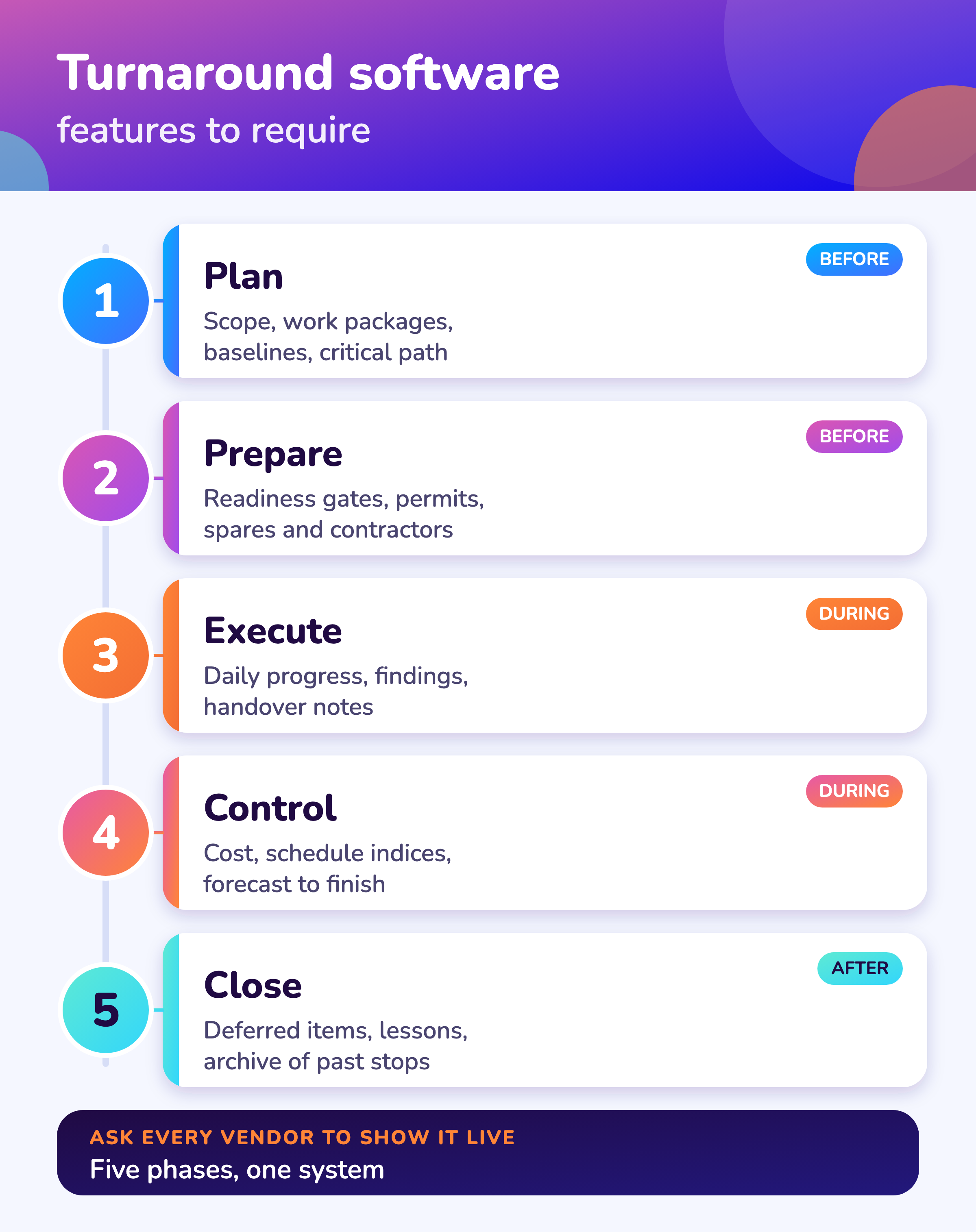
Turnaround software should plan the shutdown scope on one critical-path network, check each job is ready before it starts, track progress and findings every day, control cost against budget and keep the lessons for the next stop. In this guide STO means shutdown, turnaround and outage.
For the buyer's guide see turnaround management software, and for the RFP document see the turnaround software RFP template.
Many plants start with a spreadsheet and a scheduler. Software earns its cost when the plan, the permits, the spares and the daily progress live in one place, so the planner does not rebuild the picture every morning. The checklist below turns that into questions you can put to any vendor, and the demo script lets you test the answers on your own data.
Use the RFP and demo scorecard (Excel) to weight the requirements and score up to three tools side by side.
Features
Which features does a turnaround software checklist need?
A turnaround software checklist needs fourteen features across five phases: baselined scope, critical path, import, readiness gates, permits, spares, trade availability, daily progress, field findings, mobile use, cost control, close-out, integration and a clear account of any AI features.
| Phase | Feature | Ask the vendor to show |
|---|---|---|
| Plan | Scope list with work packages and an approved baseline | A late scope change and what it did to the finish date; see scope management |
| Plan | Critical path and float on the whole network | A duration changed on the critical path; see shutdown scheduling |
| Plan | Import from Excel and from your scheduler | Your own task list loaded live |
| Prepare | Readiness gates that block a job that is not ready | A job refused because a permit or part is open |
| Prepare | Permits and isolations tied to each work order | The permit status on a work order; see permit management |
| Prepare | Spares status with the order behind each short part | A short part traced to its order; see spares planning |
| Prepare | Contractor and trade availability across shutdowns | Weekly availability by trade; see contractor management |
| Execute | Daily progress by package with history | A day entered and the S-curve moving |
| Execute | Findings from technicians reach the planner | A finding raised in the field and seen by the planner |
| Execute | Mobile or offline use | A technician entry with no signal |
| Control | Cost against budget, forecast to finish, cost and schedule indices | The forecast after a delay; see budget planning |
| Close | Deferred items, lessons and an archive of past stops | A closed stop reopened as a template; see lessons learned |
| Fit | Integration with your ERP or CMMS, roles and an audit trail | The integration scope in writing and a user approval log |
| Fit | AI features, if offered | What each AI feature does, who approves its output and how it was tested; see AI in shutdown planning |
MaintWiz
How does MaintWiz match this checklist?
The MaintWiz shutdown module covers the plan, prepare, execute, control and close phases of this checklist in one system, and AI agents support shutdown planning.
Bring your own task list to a demo and we will run the eight scenarios on it. If a feature on your list is missing, tell us: plant requirements shape what we build next.
About MaintWiz. MaintWiz is an industrial AI platform with IoT, SAP integration and predictive maintenance (PdM) capabilities. Its shutdown and turnaround module helps plants plan, schedule, execute and close out shutdown work.
What the shutdown module covers
As described on the MaintWiz shutdown maintenance product page.
- Gantt chart with critical path and float, baselines and a float flag
- Seven readiness gates with signed waivers
- Spares status with the SAP request or order behind each short part
- Permits and isolations shown on each work order
- Findings from technicians sent straight to the planner
- Earned value, cost and schedule indices
- Handover notes, deferred items and lessons learnt
Proof
What MaintWiz customers report
Figures as published in MaintWiz case studies on maintwiz.com. They come from maintenance management projects, not shutdowns.
Options
Spreadsheet, scheduler, CMMS or a shutdown module?
Choose a spreadsheet for a few hundred tasks and one planner, a scheduler when the network logic is the main need, a CMMS module for small stops, and a dedicated shutdown module when scope, permits, spares and daily progress must stay in one plan.
Named comparisons: Primavera P6 alternatives, Prometheus Group alternatives, Cleopatra Enterprise alternatives, IAMTech iPlanSTO alternatives, Wipro sto360 alternatives and Microsoft Project alternatives.
| Approach | Strong at | Gap for a turnaround | Fits when |
|---|---|---|---|
| Spreadsheets | Quick to start; everyone knows them | No linked logic, version copies, no live float, manual status | A few hundred tasks and one planner |
| Scheduler such as Primavera P6 or Microsoft Project | Network logic and critical path 1,2 | Permits, spares, daily field progress and findings live elsewhere | A dedicated scheduler and a separate tracker are acceptable |
| CMMS work-order module | Work orders, history, assets | Not built around a time-boxed project with a freeze date | Small stops that look like routine work |
| Dedicated shutdown module | Scope, schedule, readiness, permits, spares and execution in one plan | Needs data loaded and a rollout | Recurring shutdowns where coordination is the problem |
The software vs CMMS vs P6 guide compares these in more detail.
Replace Excel
When should you replace Excel for turnaround planning?
Replace Excel when the plan has more than one owner, when you keep dated copies to see what changed, when float is calculated by hand, or when permits, spares and progress sit in different files that nobody reconciles.
A migration plan is in replacing Excel for turnaround planning.
Many copies
Files named final, final2 and latest. No one is sure which is current.
Manual float
Dates are typed, not driven by logic, so a late job does not move its successors.
Separate trackers
Permits, parts and progress are in separate files that are merged by hand every morning.
No audit trail
Nobody can say who approved a scope change or when.
Moving does not have to be a big bang. Load the existing task list, keep the spreadsheet for reference during the first stop, and compare the two on the critical path. The free Excel to Gantt tool shows the critical path from a pasted task list before you buy anything.
Small plants
What does a small plant need from turnaround software?
A small plant needs to load its task list quickly, see the critical path, track daily progress and keep permits and spares status next to the jobs, with no long implementation, because one planner usually does all of it.
See also turnaround software for small plants and what drives price in turnaround software cost.
- Import from Excel in minutes
- Critical path and float on one screen
- Daily progress without a training course
- Permits and spares status beside each job
- Costs against the budget you already have
- Add users and modules as the program grows
Ask for a pilot on one shutdown, with the vendor loading your data, and agree in advance what result means success. If a tool needs a project of its own to set up, it is the wrong size.
RFP
What goes into a turnaround software RFP?
A turnaround software RFP states your shutdown profile, the users and sites, the data to load and the systems to connect, lists weighted requirements, asks for a live demo on your data, and asks for references, support terms and a full price including implementation.
The full RFP document structure is in the turnaround software RFP template.
- 1
Describe the stops
Industry, number of shutdowns a year, tasks per stop, sites and contractors.
Profile - 2
List users and roles
Planners, supervisors, technicians, contractors, executives.
Who - 3
Name the data and systems
Task lists, ERP or CMMS, permit system, spares.
Integration - 4
Weight the requirements
Use the checklist above; weight each 1 to 5.
Scoring - 5
Require a live demo
Same script and your sample data for every vendor.
Fair test - 6
Ask for references and terms
Customers with similar stops, support hours, training, data ownership and exit.
Risk - 7
Price the whole thing
Licenses, implementation, integration, training and yearly cost.
Total cost
The RFP and demo scorecard (Excel) contains the weighted requirement sheet. Our guide to shutdown budgets covers what a software line should sit inside.
Demo script
How do you run a turnaround software demo?
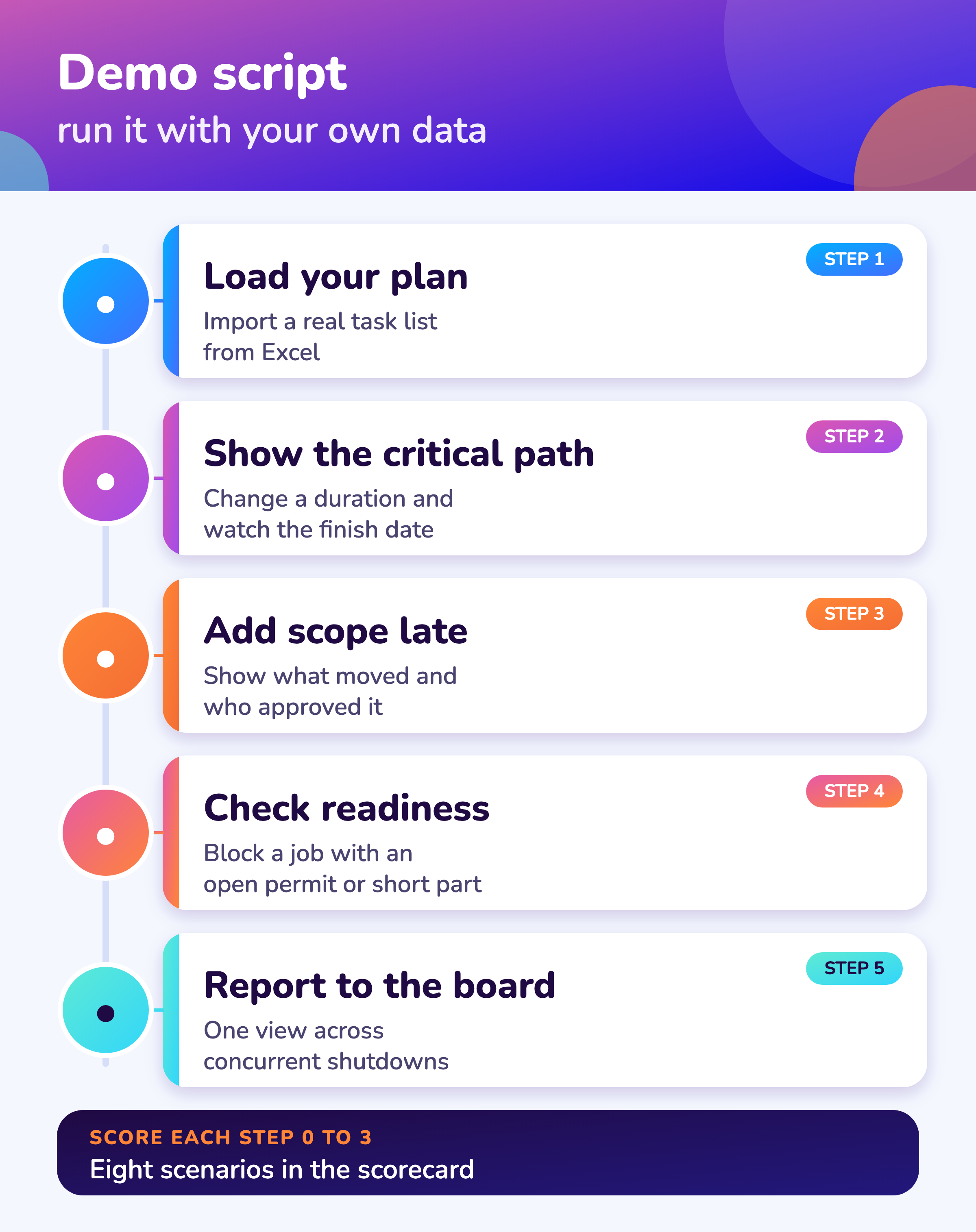
Give every vendor the same eight scenarios and your own sample data, such as loading a task list, changing a critical-path duration, adding late scope, blocking an unready job, tracing a short part, entering progress, checking cost and closing out, and score each 0 to 3.
| # | Scenario | A strong answer |
|---|---|---|
| 1 | Load a real task list from Excel | Loads in minutes and shows the network |
| 2 | Change one critical-path duration | Finish date and float update at once |
| 3 | Add late scope | Shows what moved, who approved it and the baseline |
| 4 | Start a job with an open permit or short part | Blocked, with the reason shown |
| 5 | Trace a short part | Shows the request or order behind it |
| 6 | Enter progress and a field finding | Planner sees both without re-keying |
| 7 | Show cost against budget and forecast | Forecast changes after the delay |
| 8 | Close out the shutdown | Deferred items and lessons are kept and searchable |
Run the script live. A recorded demo or slides do not show what the tool does with your data.
Visuals
Save the software checklist visuals
Two visuals to share with your selection team. Click either for the full-size image.
FAQ
Frequently asked questions
What is turnaround software?
Software that plans and tracks a shutdown, turnaround or outage: scope, schedule, readiness, permits, spares, progress, cost and close-out.
What features should turnaround management software have?
Baselined scope, critical path and float, readiness gates, permits and isolations, spares status, daily progress, field findings, cost control, close-out and integration with your ERP or CMMS.
Can we run a turnaround without Primavera P6?
Yes. P6 gives network logic and a critical path, 1 but a shutdown module can hold the critical path, readiness, permits, spares and progress in one place, and many plants import from P6 or Excel instead of replacing it.
When should we replace Excel for turnaround planning?
When several people edit the plan, when you keep dated copies to track change, when float is calculated by hand or when permits, spares and progress live in separate files.
What size of plant needs turnaround software?
Plants with recurring shutdowns where coordination is the problem. A small plant needs quick import, a critical path and daily progress, with a short setup.
How do we compare turnaround software vendors fairly?
Use weighted requirements, give every vendor the same live demo script on your data and score each scenario 0 to 3. The scorecard file does the totals.
What should a turnaround software RFP include?
Your shutdown profile, users, data and systems to connect, weighted requirements, a live demo on your data, references, support terms and a full price including implementation.
How long does implementation take?
It depends on the data and the integration. Ask each vendor for a plan with dates, what they load and what you must supply, and agree success measures for a pilot stop.
Does MaintWiz have AI for turnaround planning?
AI agents support shutdown planning. Today the shutdown module covers the schedule, readiness gates, permits, spares and findings. See AI shutdown planning.
Sources
Sources
Selection advice on this page is our assessment from how shutdowns are run. The two product references show what P6 and Microsoft Project state about their critical path features.
Move your shutdown plan out of spreadsheets
Book a demo and bring the spreadsheet you use today. We will show how the module covers the same ground.