
Digital shutdown management
Digital Shutdown Management: What to Digitize First
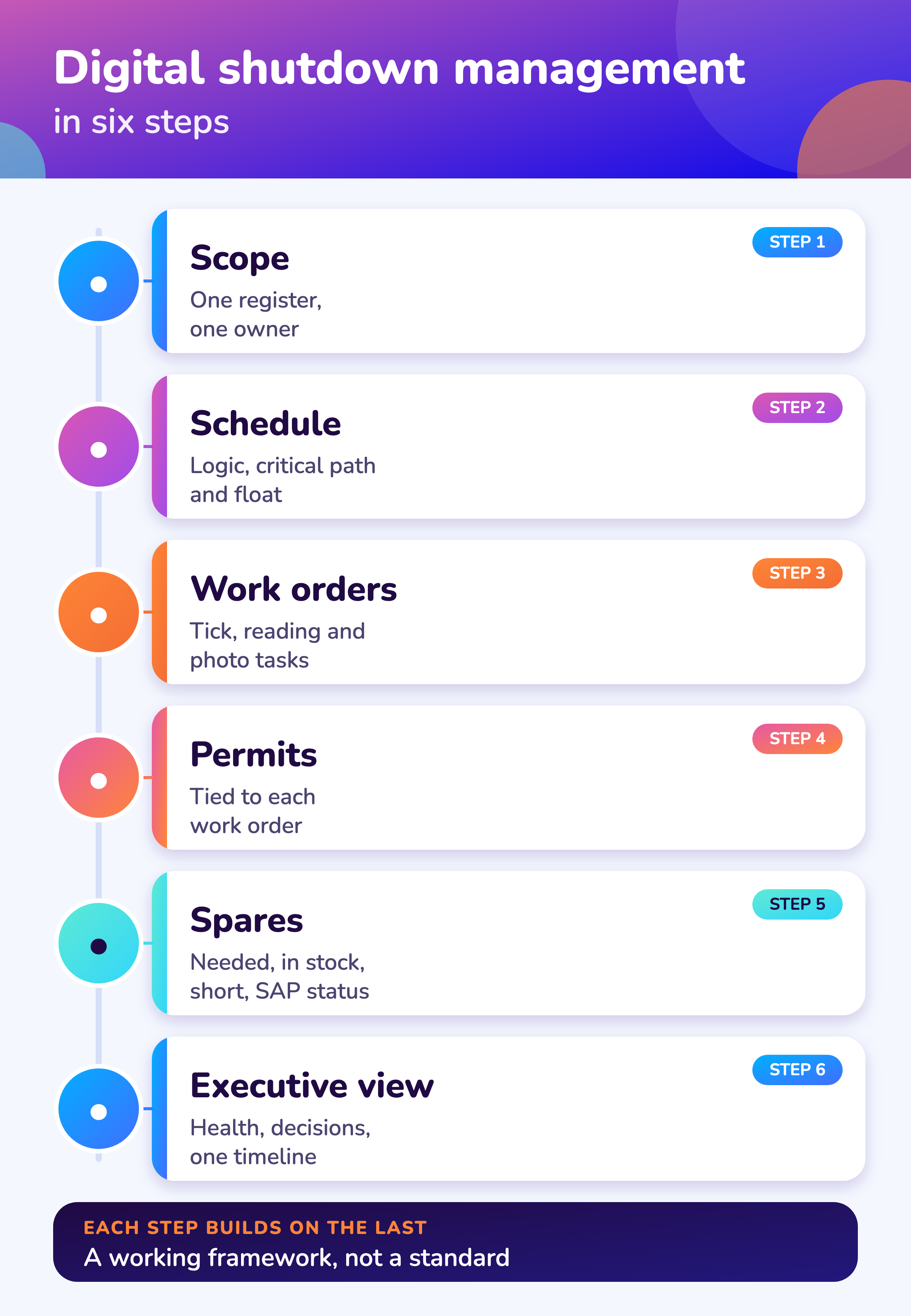
Digitize shutdown management in six steps: one scope register, a logic-linked schedule, digital work orders, permits tied to work orders, spares status and an executive view. Each step builds on the one before. This page also separates what the MaintWiz shutdown module does today from what is planned.
Capabilities described are those of the current module; planned items are labeled and carry no release dates.
How MaintWiz helps: Digitizing the right things first gives the fastest payoff. The MaintWiz shutdown module moves the plan from spreadsheets into one system with a critical path, readiness gates, permits and spares status. See the module · Get the 40-step checklist
By Jai Balachandran · Published · Last reviewed
What MaintWiz adds:Critical path and floatReadiness gatesPermits and isolationsSpares status with SAP
Order
What should a plant digitize first in shutdown management?
Digitize shutdown management in six steps: one scope register, a logic-linked schedule, digital work orders, permits tied to work orders, spares status and an executive view, because each step builds on the one before it.
A free Excel version is available: Digital shutdown self-check (.xlsx).
| Step | Move from | Move to | What you gain |
|---|---|---|---|
| 1. Scope | Side lists in spreadsheets and email | One controlled scope register with one owner | One list everyone trusts; changes after the freeze are visible |
| 2. Schedule | Static plan files | A logic-linked schedule with the critical path and float | Daily view of which delay moves the restart date |
| 3. Work orders | Paper job cards | Work orders with tick, reading and photo tasks on phones and tablets | Evidence captured as the work happens; findings reach the planner |
| 4. Permits and isolations | Separate permit books | Permits and isolations tied to each work order | A package with an open permit cannot be closed |
| 5. Spares | Parts lists and phone calls | Needed, in stock and short, with the SAP request or order behind each part | Short parts are seen weeks ahead |
| 6. Executive view | Weekly slide decks | One view of health, decisions and timelines across projects | Decisions are made on current data |
Start where the pain is, but keep the order: a schedule built on an uncontrolled scope, or work orders that do not match the schedule, add effort without adding control. The GAO guide treats a controlled baseline and a logic-linked schedule as the basis for schedule control. 1 The checklist in the 40-step shutdown checklist shows where each step sits in the plan.
Today and planned
What can the MaintWiz shutdown module do now?
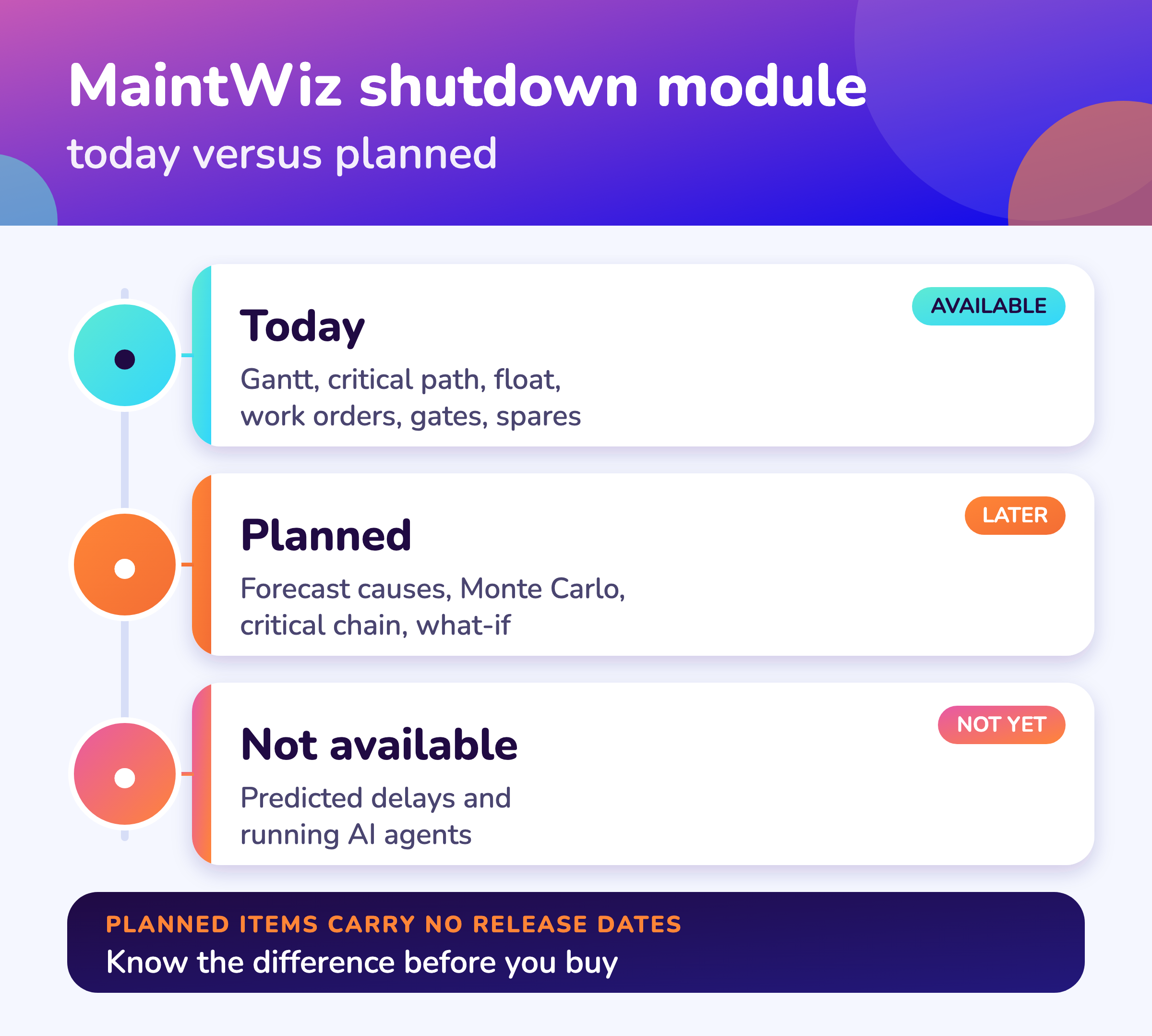
The MaintWiz shutdown module is an add-on to the MaintWiz platform that plans, schedules, controls and closes out shutdowns today, with AI agents that predict delays; several analysis features are planned for later releases.
For SAP, see SAP PM shutdown management and SAP MM shutdown materials. The turnaround software checklist lists the features to require when you digitize. Moving off spreadsheets is covered in replacing Excel for turnaround planning.
| Area | Available now | Planned for later releases |
|---|---|---|
| Schedule | Gantt chart with critical path and float; a flag at a float limit you set; baselines that show what moved | What moves the forecast finish, with causes; forecast methods with formulas and inputs; Monte Carlo confidence of finish; critical chain analysis; what-if scenarios |
| Field work | Work orders with tick, reading and photo tasks; QR code scan; offline use on transaction screens | Saving readings, hours, parts, notes and attachments across a page reload |
| Readiness and control | Seven readiness gates with signed waivers; earned value; risk register | Risks ranked by days at stake; daily actual cost storage |
| Integrations | SAP through the PM or the MM module; Excel; Primavera P6 and Microsoft Project; IoT sources; ePTW | - |
| AI | Not available. AI actions are placeholders in the product | AI actions with an approval step |
The module reuses the platform: work orders, spares, approvals, ePTW permits, preventive maintenance scheduling, instruments and calibration, and SAP integration. See the module overview and the data sheet. For how it compares with a CMMS and with Primavera P6 see shutdown software vs CMMS vs Primavera P6.
This page separates what exists from what is planned on purpose. Planned items have no release dates here.
Software
Where does MaintWiz fit in digital shutdown management?
MaintWiz covers the six steps in one module on the MaintWiz platform, and it keeps the planned features, such as AI actions and Monte Carlo confidence, clearly separate from what runs today.
About MaintWiz. MaintWiz is an industrial AI platform with IoT, SAP integration and predictive maintenance (PdM) capabilities. Its shutdown and turnaround module helps plants plan, schedule, execute and close out shutdown work.
Also see the shutdown module FAQ.
What the shutdown module covers
As described on the MaintWiz shutdown maintenance product page.
- Gantt chart with critical path and float, and a float flag at your limit
- Work orders with tick, reading and photo tasks, QR code scan and offline use on transaction screens
- Readiness gates with signed waivers; approvals recorded against the signed-in user
- Spares status with the SAP request or order behind each short part
- Permits and isolations from ePTW on each work order
- Import and export with Excel, Primavera P6 and Microsoft Project; IoT sources
- Executive view: health matrix, ranked decisions, one timeline for all projects
Proof
What MaintWiz customers report
Figures as published in MaintWiz case studies on maintwiz.com. They come from maintenance management projects, not shutdowns.
Due diligence
Which digital shutdown claims should you question?
Question any claim of predicted delays, real-time visibility, percent savings, full offline use or universal integration, and ask which data, which screens, which baseline and which systems it rests on.
To test a savings claim, see shutdown program ROI. Ask what a tool does with SAP: SAP PM shutdown management. What AI agents do and how to test a claim are covered in AI shutdown planning.
| Claim you may hear | What to ask |
|---|---|
| "AI predicts shutdown delays" | Which delay, from which data, how was it validated, and is it released or planned? |
| "Real-time visibility" | How often does the data refresh, and who enters it? Visibility is only as current as the entries |
| "Percent savings" | Against what baseline, over what period, at what scope? Ask for the method, not only the number |
| "Works offline" | Which screens? Transaction screens only is not the same as fully offline |
| "Integrates with everything" | Which systems, which objects, read only or two-way, and how often? |
The same discipline applies to this page: every capability above is a statement about the current module or is labeled planned. See the ROI guide for how to test a savings claim against your own baseline.
Boundaries
What does digital shutdown management not replace?
Digital shutdown management does not replace physical controls, judgment or site procedures: isolations are still verified on the plant, permits are still issued by competent people and the shutdown manager still makes the decisions.
Digital tools do not replace the controls. Lockout, permits and isolation verification still have to be carried out on the plant, for example under OSHA 1910.147 in the US. 2 A tool records and enforces the process; it does not do the isolation.
Use the tool to make the process visible and enforce its gates. See permit to work during a shutdown and shutdown execution.
Definitions
Where do the terms on this page come from?
The scheduling, cost, isolation and SAP terms used on this page are defined by public sources: the HHS earned value glossary, the GAO schedule guide, OSHA, HSE and the SAP library. 3,1,2,4,5
| Term | Public definition or rule | Source |
|---|---|---|
| Critical path | The path through a network of dependent tasks with the longest elapsed time; any delay to a task on it delays the finish by the same amount | HHS earned value glossary, GAO schedule guide |
| Float | The time an activity can slip without delaying a later date; float is not contingency | GAO schedule guide |
| Earned value, CPI and SPI | Earned value is completed work valued at its budget; CPI is earned value divided by actual cost and SPI is earned value divided by planned value | HHS earned value glossary |
| Lockout and isolation | Lockout places a lock on an energy isolating device so the equipment cannot be operated; OSHA 1910.147 sets the six steps and HSE HSG253 sets three isolation categories | OSHA 1910.147, HSE HSG253 |
| Reservation and purchase requisition | In SAP Plant Maintenance the system generates both from order components; neither can be created individually | SAP Library |
Definitions are paraphrased; read the source for the exact wording. Module descriptions on this page come from the MaintWiz product requirements, not from these sources.
Visuals
Save the digital shutdown charts
Two charts to share with your digital team. Click either for the full-size image.
FAQ
Frequently asked questions
What is digital shutdown management?
Running a shutdown with connected tools instead of spreadsheets and paper: one scope register, a logic-linked schedule, digital work orders, permits and spares status, and an executive view.
What should we digitize first?
Start with the scope register and the schedule, then work orders, permits, spares and the executive view. See the six-step order above and the 40-step checklist.
Does MaintWiz predict shutdown delays?
Not today. MaintWiz shows the critical path and float; forecasting of delay causes, Monte Carlo confidence and AI actions are planned for later releases.
Can technicians work offline?
On transaction screens, yes. The module is not fully offline.
Does it connect to SAP and scheduling tools?
It connects to SAP through the PM or the MM module, and imports from and exports to Excel, Primavera P6 and Microsoft Project.
Does it replace permits and isolation?
No. Isolations are still done and verified on the plant; the tool records and enforces the process. 2
How do I test a savings claim?
Ask for the baseline, the period and the scope, then compare it with your own past stops. See the ROI guide.
Where is the product described in detail?
On the shutdown module page, the data sheet and the FAQ.
Sources
Sources
- US Government Accountability Office, GAO Schedule Assessment Guide: Best Practices for Project Schedules (GAO-16-89G, December 2015)
- OSHA, 29 CFR 1910.147, The control of hazardous energy (lockout/tagout)
- US Department of Health and Human Services, Earned Value Management, Appendix D: Glossary of Terms
- UK Health and Safety Executive, The safe isolation of plant and equipment (HSG253, 2006)
- SAP Library, Materials Planning (Customer Service and Plant Maintenance; older release, no release stated)
Move your shutdown plan out of spreadsheets
Book a demo and bring the spreadsheet you use today. We will show how the module covers the same ground.